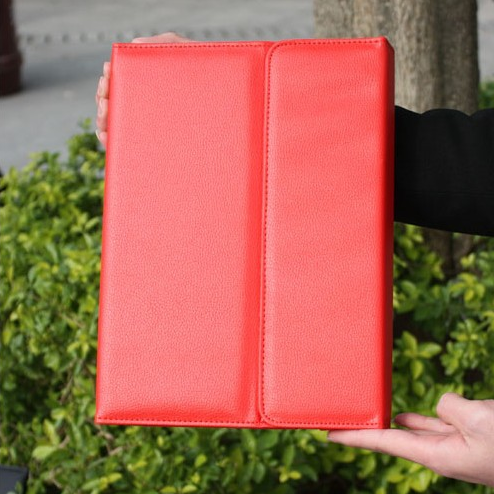
Samsung Tablet Note 10.1-inch Keyboard Leather Cover
Currently, it is the thinnest among all keyboard cases
Can be used as a laptop, showcasing elegance. At the same time, it also protects the tablet
Not scratched. The keyboard keys are comfortable.
Essential for daily life and travel, the best choice for office white-collar workers
1: Product parameters
Mainly designed for Samsung N8000
Built in high-capacity 700mAh lithium-ion polymer battery
Micro USB power interface, input voltage 5V
Product dimensions
Product weight: 371 grams
Charging time: 2.5-3 hours
Working temperature: -20c-50c
Storage temperature: -40c-70c
Working distance: 10 meters
Secondly:Operating Instructions
1: Find the settings button on the homepage to enter
2: Enter and click on wireless and network
3: Enter and click on Bluetooth device
4: Click on the search device (at this point, open the Samsung N8000 leather case, push the switch in the upper right corner from OFF to ON, and the leather case keyboard will turn on the blue light and display for 3 seconds before turning off),
2. Then press the Link button next to it, the blue light will turn on and the Bluetooth light will flash
5: At this point, the search interface displays the name of the Bluetooth keyboard and clicks on the link
6: After linking, the following request appears for password input (at this point, enter the 6-digit number in the image below on the keyboard case and press Enter to connect successfully) (note that there is no dialog box, regardless of case). We can directly enter the verification code on the keyboard case and press Enter. The 6-digit number is different every time, just enter it according to the number on your machine.)
7: The successful connection prompt is' OK ', indicating that the machine has been successfully connected